Support productivity
Give merchandisers a mobile workflow for planning and recording field activity.
Sales Force Automation is a mobile application for gathering market information such as promotion execution, share of shelf, competitor activities and prices. It supports iOS and Android handheld devices.
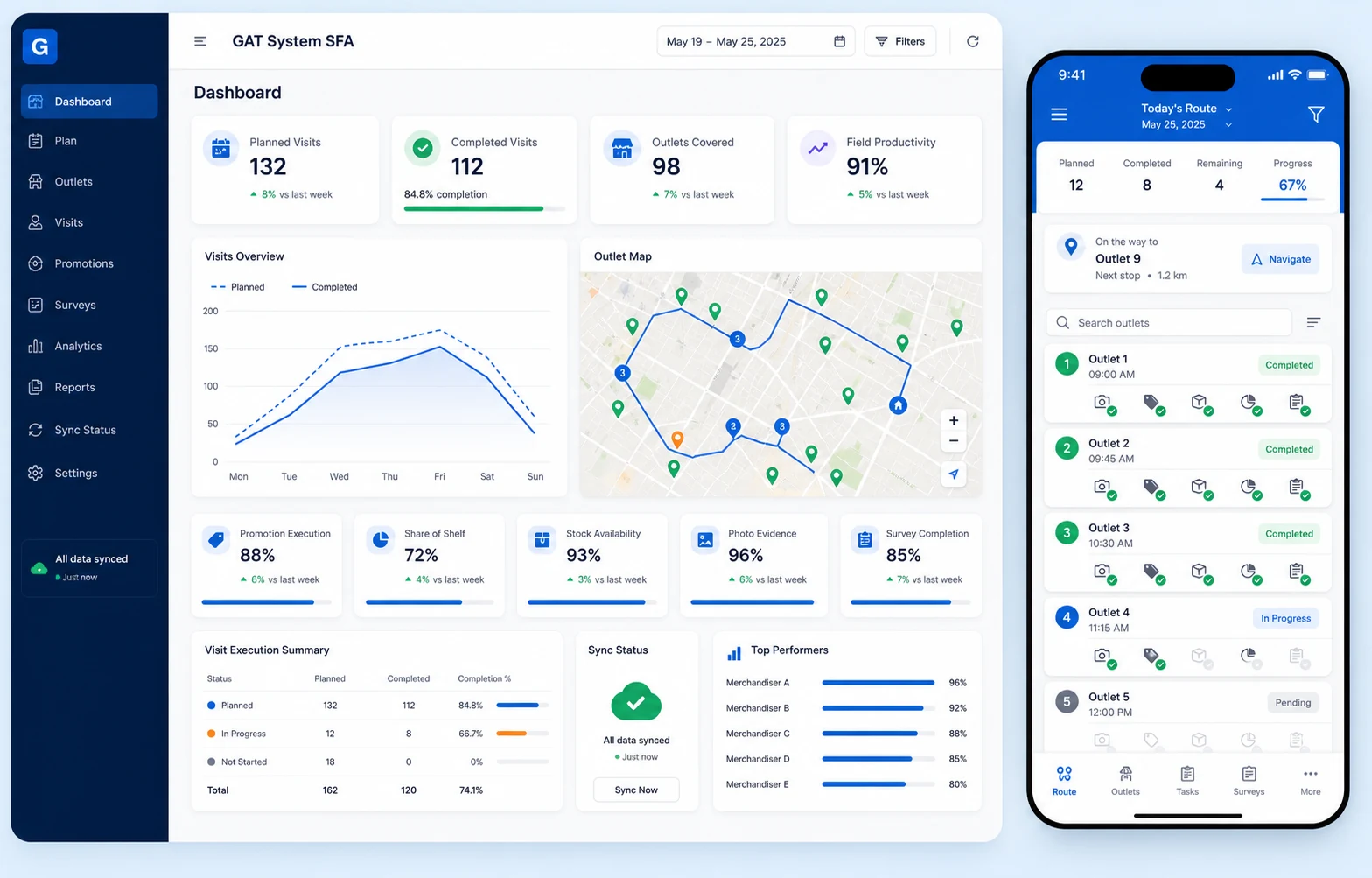
Support merchandisers and sales teams as they plan visits, record outlet activity and share market information for management review.
Give merchandisers a mobile workflow for planning and recording field activity.
Use GPS tracking and captured work information to support effective field monitoring.
Bring promotion, shelf, stock and market information into sales-operations reporting.
Record photos, stock checks, survey responses and other market information at outlets.
Sales Force Automation brings the core field-execution activities described by GAT into one mobile and reporting workflow.
Organize merchandiser plans and outlet itineraries for field execution.
Prepare the outlet schedule and activities that field users need to complete during each visit. A clearer itinerary helps merchandisers stay organized and supports more consistent field execution.
Capture GPS information during outlet visits to strengthen field visibility.
Capture GPS information as part of the supported field activity at an outlet. The location context gives managers a clearer view of where field work is being carried out.
Record promotion execution and share-of-shelf information during outlet visits.
Record how promotions are executed and capture relevant share-of-shelf information during the visit. This provides clearer evidence for reviewing product visibility and market execution.
Take photos during work execution and record the available stock information.
Capture outlet photos together with the available stock information observed by the field user. The combined evidence makes it easier to review execution conditions and follow up on stock findings.
Gather market information about competitor activity, prices and other survey topics.
Collect structured information about competitor activity, market prices and other agreed survey topics. Centralizing these observations helps teams compare outlet conditions and respond with better market context.
Synchronize captured information for central access and business intelligence reporting.
Synchronize captured field information and images to the cloud for central access. BI reporting then brings the available activity, execution and market information into a clearer management view.
Use mobile field capture together with central reporting to review the work recorded at outlets.
Review planned and completed field activity across the available reporting period.
Review outlet activity together with captured GPS information.
Bring promotion, shelf, stock, photo and survey information into one review flow.
Use centrally synchronized field information for practical business intelligence reporting.
Prepare the merchandiser itinerary and the outlet activities to be completed.
Record GPS, promotion, shelf, stock, photo and survey information during the visit.
Sync the captured information to the cloud for central access and BI reporting.
Use supported iOS and Android handheld devices for mobile field activity.
Synchronize captured field information and images for central access.
Capture pictures during merchandiser work execution at outlets.
Review centrally available field information through business intelligence reporting.
Talk through your field activities, supported devices, capture requirements, users and reporting needs.