Assess performance
Review business performance through an efficient, consistent reporting view.
Commercial Business System gives Lotus's suppliers daily visibility into business performance with Lotus's, including sales, promotions, margins, stock and service-level information.
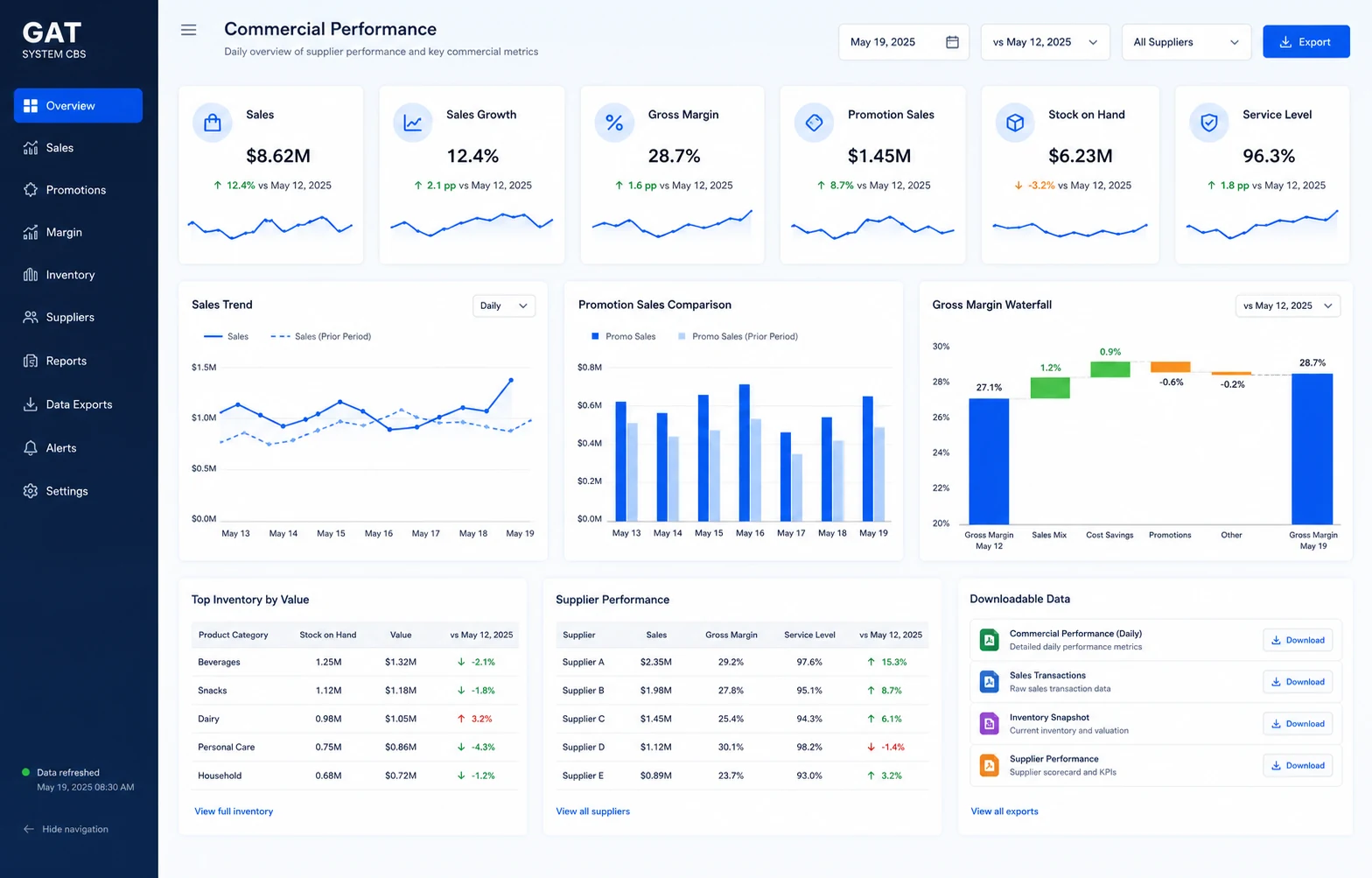
Commercial Business System brings together the business views Lotus's suppliers use to monitor performance with Lotus's.
Review business performance through an efficient, consistent reporting view.
Use available stock information to support inventory management.
Provide a transparent performance platform for Lotus's and its suppliers.
Use shared commercial information to support mutually beneficial decisions.
Commercial Business System connects the supplier dashboard with sales, promotion, margin, stock and service-level reporting. Explore each view below, then select Read more for a clearer explanation of how it supports daily commercial review.
Bring core supplier performance measures into a single dashboard view.
Start with an at-a-glance overview of key supplier information. Move into the relevant sales, margin, stock or service-level report when a closer review is needed.
Review sales movement and sales-growth information across available periods.
Compare available reporting periods to understand sales direction and identify meaningful changes. Use the result to support more focused commercial follow-up.
Compare promotion sales with non-promotion sales.
Separate promotional and non-promotional results to see how campaigns contribute to sales. The comparison helps teams identify where further review may be useful.
Review commercial gross margin, scan margin and back margin information.
Bring the available margin views together so commercial teams can review performance with clearer context. Use the information to prepare more focused and informed discussions.
Monitor stock-on-hand and service-level information.
Review stock availability alongside the relevant service-level information. The connected view supports inventory monitoring and day-to-day supplier planning.
Review available data by week, category, item and store, including sales units and sales value.
Available scan-sales packages can provide further detail for analysis and Excel download. Subscription, data availability and applicable terms apply.
The dashboard and report types keep related commercial information together for daily review.
Review the supplier dashboard as a starting point for business performance.
Examine sales trend, sales growth and promotion-versus-non-promotion sales.
Bring commercial gross, scan and back margin information into focus.
Review stock-on-hand alongside service-level information.
Use the Commercial Business System portal to access the available supplier information.
Open the supplier dashboard and relevant commercial reports.
Choose an available scan-sales package by week, category, item or store, with sales units and sales value where included.
Download available scan-sales data in Excel format through the Commercial Business System portal.
Connect approved Commercial Business System information with the internal system to support existing business workflows.
Access supplier reporting through the Commercial Business System platform environment.
Review performance through dashboards and focused report types.
Access available business information through the Commercial Business System portal.
Download applicable scan-sales information in Excel format.
Ask about Commercial Business System access, available reports and optional scan-sales data packages.